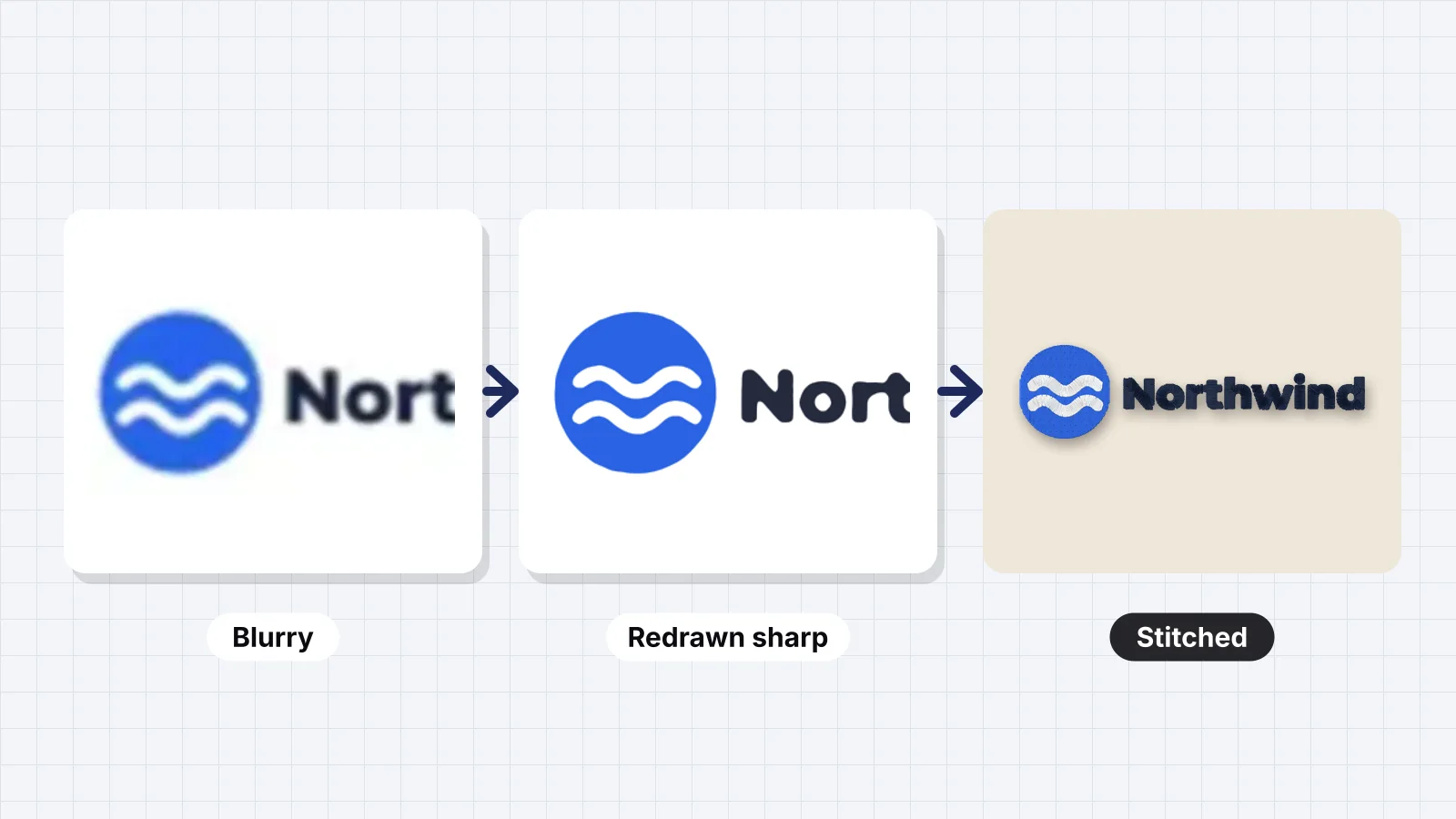
 Free toolLogo upscalerMake a blurry, pixelated or JPEG logo sharp: redrawn in clean flat colors as a PNG up to 4000 px or an SVG.Open the tool
Most logos that reach an embroidery machine start life as a screenshot, an email signature, a social media profile picture or a JPG that has been saved and resent a dozen times. At 250 px across with fuzzy edges, it looks fine on a phone. It doesn't stitch fine, because digitizing follows edges, and a soft edge gives soft, wobbly stitches.
This guide explains why blur matters in thread, how many pixels a logo needs at each stitch size, where to look for a better copy, when to upscale and when to redraw, how Embrizo's logo upscaler rebuilds flat-color logos, and how to clean JPEG artifacts before you digitize.
Why a blurry logo stitches badly
A digitizer reads the image as shapes of color. Blur and compression change those shapes in ways you can see in the stitches:
| In the image | In the stitches |
|---|---|
| Stair-stepped pixel edges | Satin borders and fills that follow the steps, so curves look jagged |
| A soft halo between colors | A ring of extra in-between colors, or a lumpy edge where the digitizer has to guess |
| JPEG blocks and speckles | Tiny stray shapes that become specks of stitches and extra trims |
| Letters only a few pixels tall | The holes in letters such as e, a and o fill in, so the letters merge into blobs |
| Thin lines that fade out | Breaks and gaps in outlines and lettering |
No digitizer can stitch detail the image doesn't contain. But embroidery doesn't need photographic resolution either. It needs clear, flat shapes, which is why redrawing a logo often works better than simply making the blurry version bigger.
How much resolution a logo needs
Aim for about 1,000–2,000 px across the logo itself, not counting empty space around it, or about 300 px per inch (12 px per mm) at the stitched size. Simple, bold logos can get by with half that, around 150 px per inch.
| Placement | Stitch width | Ideal (300 px per inch) | Workable minimum (150 px per inch) |
|---|---|---|---|
| Sleeve or back of neck | 2.5 in (64 mm) | 750 px | 375 px |
| Left chest | 3.5 in (89 mm) | 1,050 px | 525 px |
| Cap front | 4.25 in (108 mm) | 1,275 px | 640 px |
| Center chest | 6 in (152 mm) | 1,800 px | 900 px |
| Full back | 11 in (279 mm) | 3,300 px, or a vector file | 1,650 px |
- Check the pixels, not the DPI setting. A file labeled 300 DPI can still be 200 px wide, and changing 72 DPI to 300 DPI in an image editor adds nothing.
- On Windows, right-click the file, choose Properties and open the Details tab. On a Mac, select it and choose Get Info, or open it in Preview and use Show Inspector.
- Or upload it to the [image checker](/tools/embroidery-image-checker), which reports resolution, colors and fine detail and suggests fixes.
Zoom the logo to 100% on screen, then hold your phone at arm's length next to a ruler. If the edges look soft at the size it will be stitched, they'll look soft in thread too.
Try it with your own design
Sign up free, upload an image and get a stitch preview in under a minute.
Drop your image here
PNG, JPG, SVG, PDF or AI · stays on your device
Not sure what to expect? See real examples or how it works.
Find a better original first
The fastest fix is almost always a better file. Before you upscale anything, ask for or look for one of these:
| Source | What you usually get | Good enough? |
|---|---|---|
| The designer or the logo's owner | Vector AI, EPS, SVG or PDF files | Best: sharp at any size |
| A brand kit, press kit or media page | Vector files and PNGs 1,000–3,000 px across | Usually |
| The company website's header logo | Often an SVG; sometimes a PNG of 200–600 px | An SVG is ideal; a small PNG is borderline |
| A printer, sign maker or earlier merch supplier | The files they printed from, often vector | Usually |
| A previous embroidery file (DST, PES) | A stitch file, not artwork | Reuse or convert it rather than digitizing again |
| Social media profile picture | A few hundred pixels, often cropped to a circle | Rarely |
| Screenshot or email signature | 100–300 px with compression | No: redraw |
| Photo of a sign or shirt | Perspective, glare and fabric texture | No: redraw |
Ask for the logo by file type, not just the logo: an AI, EPS, SVG or PDF file, or the largest PNG they have with a transparent background. Owners often have these from whoever designed the logo, even if they've only ever emailed a JPG. Illustrator and PDF files work once exported; see Illustrator to embroidery file and PDF to embroidery file.
If the customer already has an embroidery file from an earlier order, open it in the file viewer first. A file that sewed well before can simply be converted to your machine's format.
Upscaling vs redrawing
If no better file exists, you have to make one. Here's how the options compare:
| Method | How it works | Best for | Weak spots |
|---|---|---|---|
| A logo upscaler that redraws flat colors, such as Embrizo's | Separates the logo's colors and rebuilds each edge as a clean, sharp shape at a larger size | Flat-color logos, icons, badges and bold text | Gradients and photos; letters too small to read in the original |
| A general AI image upscaler | Predicts extra pixels from patterns learned on photos | Photos and textured illustrations | Can warp letters, invent texture and keep the soft halo between colors |
| Vector tracing, such as Image Trace in Illustrator or Trace Bitmap in Inkscape | Turns pixel edges into vector paths | Bold, simple shapes | Blobby corners and wobbly letters from a blurry source; needs cleanup |
| Redrawing by hand in a vector program | Rebuilds the logo from shapes and the matching font | Text-heavy logos and logos used for years | Takes time, often 30 minutes to a few hours |
| Enlarging in an image editor | Stretches the existing pixels | Nothing useful here | Makes a bigger blur and adds no detail |
For a typical small business logo, with two to four flat colors and bold lettering, a flat-color upscaler gets you a usable file in seconds. Hand redrawing is for the logos that the upscaler can't rescue, covered below.
Using Embrizo's logo upscaler
Embrizo's logo upscaler is built for the logos embroidery shops actually receive: small, flat-color files with soft or blocky edges. Instead of guessing extra pixels the way a photo upscaler does, it redraws the logo with sharp edges and clean, solid colors, which is exactly what a digitizer needs.
- Drop in the best copy you have, such as a PNG, JPG or WebP, cropped to just the logo. It's processed in your browser.
- The upscaler finds the logo's real colors from its flat areas, cuts soft edges and compression noise back to clean boundaries, and redraws the logo as smooth shapes.
- Compare the before and after zoomed in: small letters, sharp corners, thin lines and the holes in letters such as a, e and o.
- If a word came out wrong because it was unreadable in the original, retype it in the matching font, or drop it if it's too small to stitch anyway.
- Save the sharp logo as a PNG at 1,000, 2,000 or 4,000 px, or as an SVG, and take it to Embrizo's digitizer: set the size, the fabric and the number of colors, check the stitch preview and save the machine file.
An upscaled logo is a fix, not a replacement for the real artwork. If the logo will be stitched on uniforms or merchandise for years, keep the sharp version and suggest the owner stores it with their brand files.
Cleaning JPEG artifacts and color noise
JPEG compression leaves blocky patches and speckled halos around edges. A logo with three colors can end up containing thousands of slightly different shades. Clean it up before or during digitizing:
| What you see in the stitch preview | Cause | Fix |
|---|---|---|
| Specks of extra colors around letters | JPEG halo around edges | Reduce the image to its real number of colors; raise the smallest-detail setting |
| A thin light outline around shapes | Blended edge pixels between the logo and a white background | Merge that color into its neighbor, or remove the background first |
| The background stitched as a block | An off-white or gray background, not pure white | Turn on background removal, or cut it out with the logo background remover |
| Jagged satin borders | Pixel stair-steps in a small image | Upscale or redraw the logo first |
| Letters merged together | Text too small for the image's resolution | Redraw the text, or stitch the logo larger |
- Never re-save as JPG. Each save adds more artifacts. Keep working copies as PNG.
- Reduce the colors to the logo's true count with reduce image colors.
- In the digitizer, set the number of colors, merge colors that should be one thread and set the smallest-detail size so stray specks are dropped.
Practice on a free design
167 ready-to-sew designs in every machine format, free with an account.

When to redraw the logo by hand
Automatic fixes work well on bold, flat logos. Redraw by hand, or have a designer do it, when:
- The text can't be read in the original. No tool can recover letters that aren't there. Identify the font with a font identification site, which can match many fonts from a clean sample, and retype the text.
- The logo has gradients, bevels or 3D effects. Embroidery needs a flat version anyway. Design a 2–4 color version and keep it as the official embroidery logo.
- It has small print. Taglines and web addresses under 5 mm (0.2 in) tall at stitch size won't read; redraw the logo without them, as the small text guide explains.
- It's for a long-running order. Uniforms and team gear get stitched again and again, so a clean vector repays the time.
Once you have a sharp file, how to digitize a logo covers sizes, colors and stitch types. Keep both the clean artwork and the final machine file, so reorders stitch the same.


