Customers notice color first. A company red that comes out orange, or a navy that reads as black, is the quickest way to get a logo order sent back. Thread makes matching harder than print: each brand has its own fixed range of colors, thread has sheen, and the same spool looks different under shop lights, in daylight and on screen.
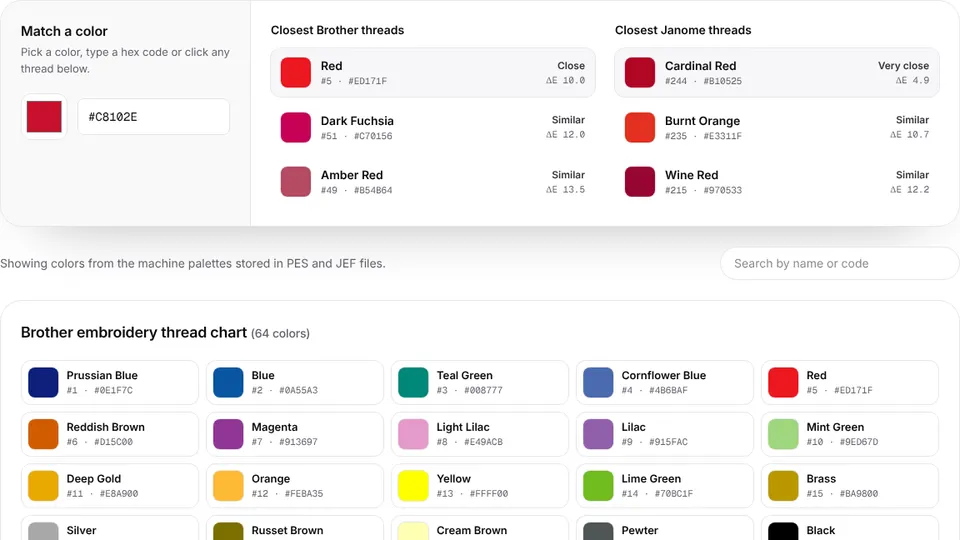
This guide covers matching thread to a logo's colors, converting between thread brands, why lighting matters and how to use the thread color chart, which lists the Brother and Janome palettes with codes and hex values and includes a matcher for any color.
Why thread never matches the screen exactly
- A fixed palette. Each thread line comes in a set range of colors, so you choose the closest, not an exact match.
- Sheen. Polyester and especially rayon reflect light, so a thread can look lighter or darker depending on the angle. Cotton is matte and reads more like print.
- Stitch direction. Satin columns and fills running in different directions catch the light differently, so one thread can look like two shades in the same design.
- Screens vary. Monitors and phones show colors differently, and a hex value on screen is only an approximation of a physical thread.
- Surroundings. Colors shift next to each other and against the garment: a mid gray looks lighter on navy than on white.
Use screens to narrow the choice and real thread to decide it. For any color that matters, check a physical thread card or the spool itself.
Start from hex, RGB or Pantone values
The most reliable starting point is the brand's own color values, so ask for them along with the artwork:
| Value | Looks like | Where it comes from |
|---|---|---|
| Hex | #C8102E | Websites and digital brand guides; easy to type into a color matcher |
| RGB | 200, 16, 46 | Screen colors; the same color as the hex above, written differently |
| Pantone (PMS) | A numbered ink color | Print brand guides; many thread makers publish suggested threads for Pantone colors |
| A physical sample | A printed card, garment or swatch | Match by eye in daylight, against a thread card |
Avoid picking colors from a JPG screenshot or a photo of a sign: compression, lighting and shadows shift them. If a photo is all you have, treat the result as a first guess and confirm it with the customer. Ask which colors are essential, too; a two-color logo is easier to match well than a twelve-color one. The artwork guide lists what else to ask for.
Try it with your own design
Sign up free, upload an image and get a stitch preview in under a minute.
Drop your image here
PNG, JPG, WebP or SVG · stays on your device
Using the Brother and Janome thread charts
The thread color chart lists the palettes built into Brother PES and PEC files (64 colors) and Janome JEF files (78 colors), with each thread's name, code and hex value. These are the colors those machines display for each thread in a design.
- Type a hex code or pick a color in the matcher. It ranks the closest Brother and Janome threads.
- Or click any thread in the chart to see its closest equivalents in the other brand's chart.
- Read the ΔE value next to each match to judge how close it is.
| ΔE (CIEDE2000) | What it means |
|---|---|
| Below 2 | Nearly impossible to tell apart |
| Below 5 | Very close |
| Above 20 | Clearly a different color |
ΔE measures how different two colors look to people, rather than how far apart their RGB numbers are. Full conversion tables cover every thread in each direction: Brother to Janome and Janome to Brother.
Matching between thread brands
Every thread maker has its own color range and numbering, so there's no exact conversion between brands, only nearest matches. Even between the Brother and Janome charts, fewer than half the colors in each have a close match in the other. Cross-reference charts from thread makers and suppliers are a good shortcut, but they're approximate, and two charts can suggest different threads for the same color.
- Convert by color, not by name. The closest Janome thread to Brother's Red (code 5) is one Janome calls Burnt Orange (235). Names describe a brand's own range, not a shared standard.
- Compare a few candidates. Look at the two or three nearest threads side by side, not just the top match.
- Check the ΔE. If no match is under about 5, look at the real spools before you commit.
- Stay with one brand per job where you can, so reorders match.
- Note the thread line, not just the brand. Polyester and rayon lines can look slightly different even when they share color numbers, because of their sheen.
Matching a logo's colors in the digitizer
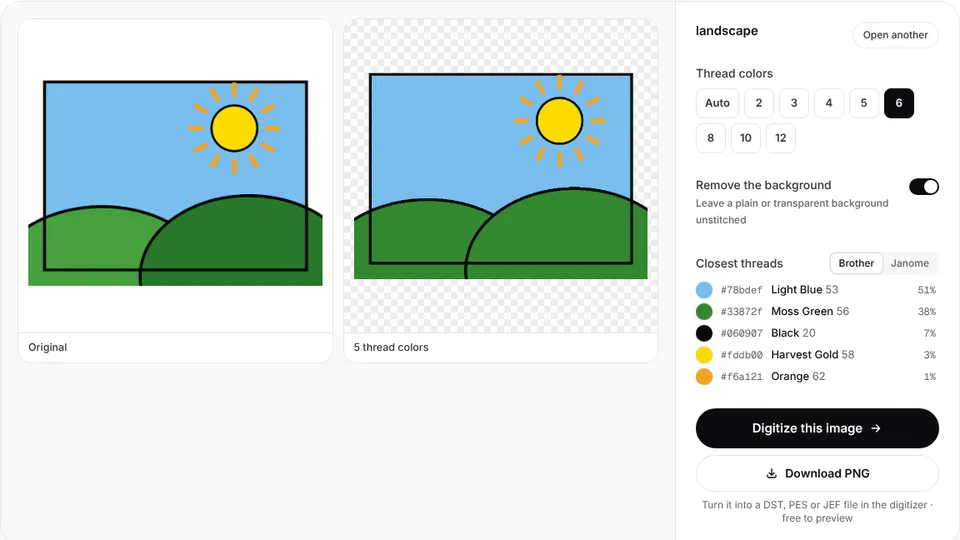
When you digitize an image in Embrizo, each color is matched to the closest thread in the chart you choose, using the same perceptual comparison as the color chart. You stay in control of every color:
- Choose the thread chart: Brother or Janome, to match your machine's palette, or exact image colors to keep the artwork's own colors.
- Override any color by picking a different thread from the chart's list, by name and code.
- Merge near-identical shades so a logo doesn't sew two almost-matching threads.
- Use the color sheet. Every download includes a TXT color sheet listing each color in sewing order with its thread, hex value and stitch count.
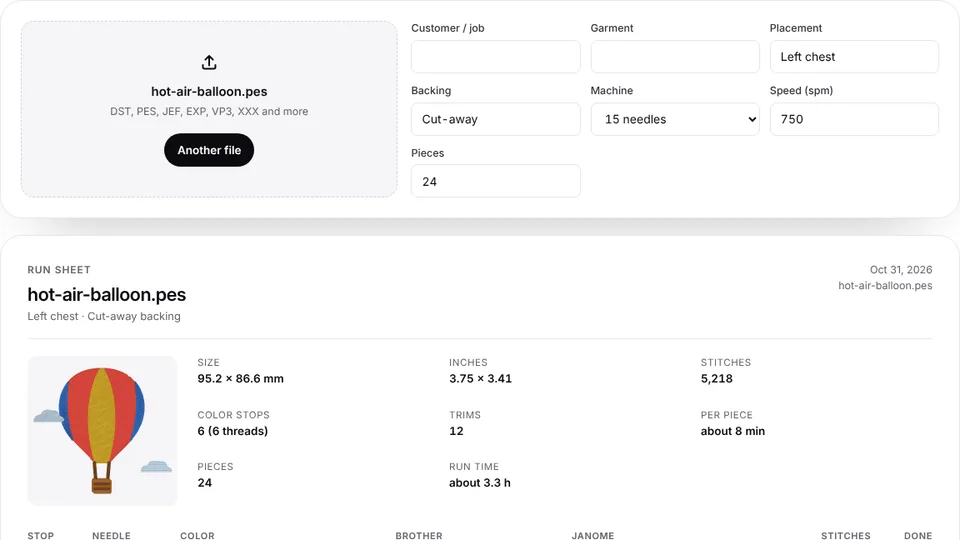
Formats handle colors differently: PES and JEF snap colors to their machine palettes, VP3 and XXX store full RGB colors, and DST and EXP store no colors at all, so you set the needles from the color sheet. For production, the run sheet lists every color stop with needle numbers and Brother and Janome matches. Ready to try your logo? Open the digitizer, create a free account and check the threads in the preview; downloading the file needs a plan.
Lighting and checking real thread
- Compare in daylight, near a window but out of direct sun, or under a daylight-balanced lamp. Warm indoor bulbs push colors toward yellow.
- Check under the light where it will be seen, too: a restaurant uniform under warm lights, a team jacket outdoors. Two colors that match in one light can drift apart in another.
- Lay the thread on the actual garment. A thread card on white paper looks different from the same thread against navy fleece.
- Judge stitched thread, not the spool. A spool shows many layers at once and usually looks darker than a single layer of stitching. A sew-out on the real fabric is the final check.
- Keep physical thread cards for the brands you use. They're the most reliable reference you'll have.
For brand colors that matter, sew a small swatch of each candidate thread on the customer's fabric and get it approved before the full run.
Keeping colors consistent across orders
- Record the threads for each customer logo: brand, line and number for every color, with the hex values from the color sheet.
- Save the design with its threads, so reorders sew the same. Designs you save in Embrizo stay in your account's design library.
- Buy enough thread for an order at once where you can, since dye lots can vary slightly.
- Keep the approved sew-out with the order, as the reference for the next run.
The embroidery thread guide covers thread types, weights and how much to buy, and the thread calculator works out how much of each color an order needs.