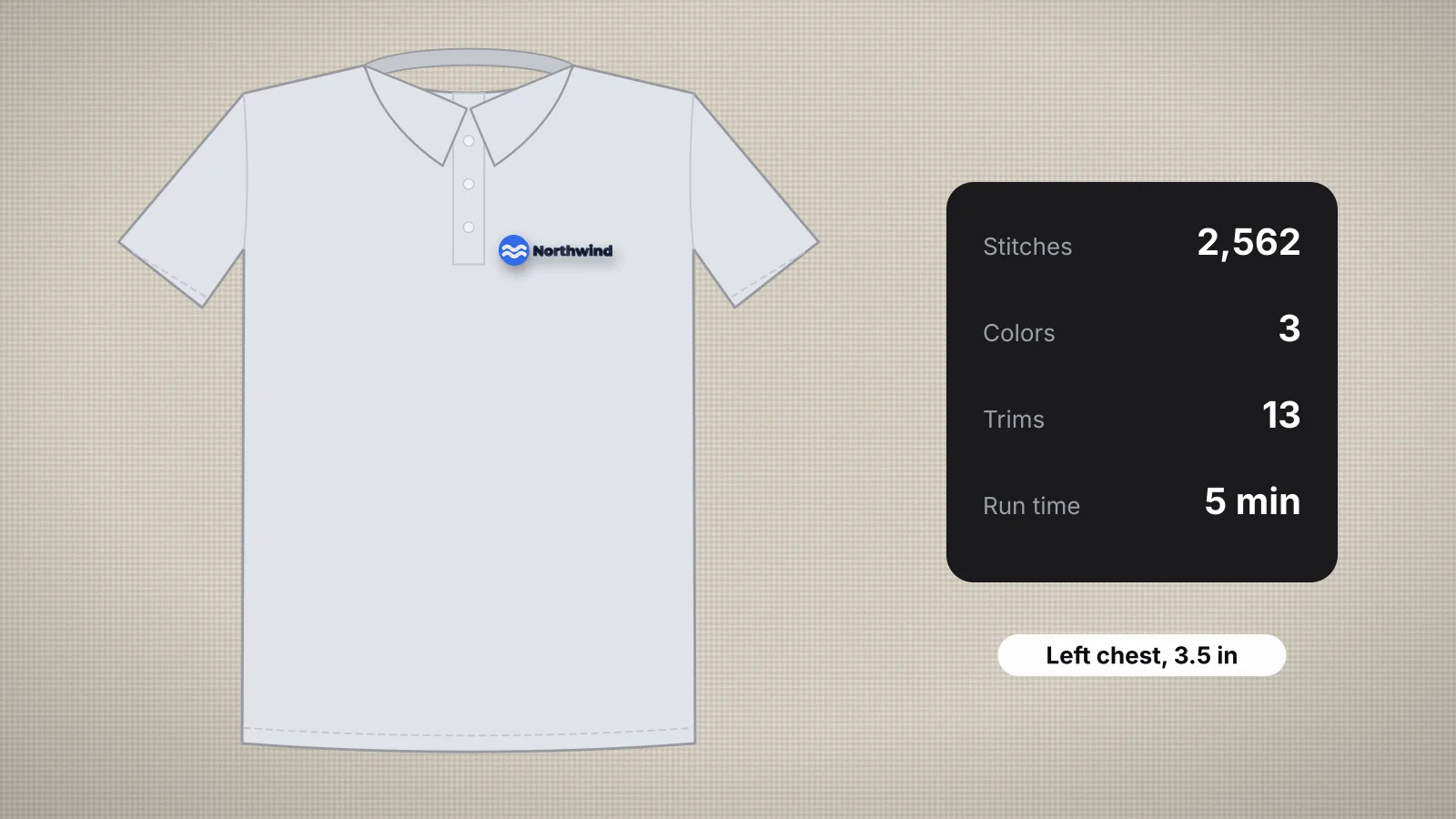
 Free toolLogo stitch estimatorUpload a logo: stitch count, colors, run time and price per piece at left chest, cap or full-front size.Open the tool
Customers ask what a logo will cost before anyone has digitized it, and most embroidery pricing starts from the stitch count. A good estimate early lets you quote quickly, suggest a sensible size and spot a logo that will be stiff or slow before it's on a garment.
This guide explains what drives a logo's stitch count, gives rules of thumb you can use in your head, and shows how to get a closer figure in seconds with the logo stitch estimator. For full pricing, see how to price embroidery.
Why stitch count drives price and run time
- Machine time. A machine sews at a set number of stitches per minute, so twice the stitches is roughly twice the sewing time, before color changes and trims.
- Thread and wear. More stitches use more thread and needle life; a common rule of thumb is about 4–5 m of top thread per 1,000 stitches.
- Pricing. Many shops charge a rate per 1,000 stitches with a minimum per piece, so the count sets the price directly.
- Feel. A high count for the size means a dense, stiff patch on the garment, which matters on soft knits.
That's why the count is worth estimating before you quote. The stitch count and stitches per minute entries define the terms.
What makes a logo's stitch count go up
| Factor | Effect on stitches |
|---|---|
| Size | Stitches grow with area: double the width and height and the count is roughly four times higher |
| Fill coverage | Large solid areas add stitches fastest; outlines and lettering add far fewer |
| Satin vs fill | Satin packs about twice as many stitches into each square inch it covers, but it's used on narrow shapes, so it usually covers less |
| Density | Closer rows mean more stitches: 0.35 mm spacing adds roughly 15% over 0.4 mm |
| Underlay | Adds stitches under fills and wide columns; heavier underlay adds more |
| A filled background | A filled badge or shape behind the logo can add more stitches than the logo itself |
Colors don't add stitches by themselves, but each color change and trim adds time, especially on a single-needle machine that stops for every color. The density guide explains spacing in more detail.
Try it with your own design
Sign up free, upload an image and get a stitch preview in under a minute.
Drop your image here
PNG, JPG, SVG, PDF or AI · stays on your device
Not sure what to expect? See real examples or how it works.
Rules of thumb by size and coverage
These figures come from the embroidery stitch count chart, at 0.4 mm density including underlay. Real logos vary, so treat them as a starting range, not a quote.
| Design size | Light: lettering, outlines | Medium: a typical logo | Full: filled edge to edge |
|---|---|---|---|
| 2 × 2 in | About 1,600 | About 2,100 | About 2,700 |
| Left chest, 3.5 × 2.25 in | About 3,100 | About 4,200 | About 5,300 |
| 4 × 4 in | About 6,200 | About 8,500 | About 11,000 |
| 5 × 7 in | About 13,500 | About 18,500 | About 23,500 |
| 8 × 10 in | About 31,000 | About 42,500 | About 54,000 |
| 10 × 10 in | About 39,000 | About 53,000 | About 67,500 |
To estimate in your head, work out the area that's stitched, not the whole box around the logo, and multiply by about 700 per square inch for fill or about 1,500 for satin. A logo whose shapes cover half of a 3.5 × 2.25 in box has about 4 square inches stitched; mostly fill, that's roughly 2,800 stitches, and more if the lettering is satin.
Estimate it from the logo itself
Rules of thumb get you close; the logo itself gets you closer. The logo stitch estimator works out the numbers a quote depends on:
- Upload the customer's logo.
- Pick the size, such as a left chest, a cap front or a full front.
- Read the stitch count, colors, trims and sew time, from the logo digitized at that size.
- Enter your rate per 1,000 stitches to see an estimated price per piece.
Because the logo is actually digitized, with fill, satin and underlay, the count reflects its real shapes rather than a guess at coverage. When you only have a size and no file yet, the stitch count calculator estimates from the dimensions and a coverage level instead.
From stitch count to run time
Sew time is the stitch count divided by the machine's speed, plus time for every color change and trim. Embrizo's digitizer estimates it at 700 stitches a minute, plus about 20 seconds per color change and 5 seconds per trim.
| Stitches | At 650 stitches a minute | At 1,000 stitches a minute |
|---|---|---|
| 4,000 | About 6 min | 4 min |
| 8,000 | About 12 min | 8 min |
| 15,000 | About 23 min | 15 min |
| 30,000 | About 46 min | 30 min |
Those are pure sewing minutes, before color changes, trims and hooping. Real speeds are often below a machine's maximum, especially on caps, metallic thread and small lettering. The production calculator works out pieces per hour and days per order at your own speed.
Turning the estimate into a quote
- Price the stitches: stitches ÷ 1,000 × your rate. At an example rate of $1.00 per 1,000, a 5,000-stitch logo is $5.00 a piece.
- Apply your minimum, so small designs still cover hooping and handling.
- Add the garment, your markup and any quantity breaks.
- Add setup or digitizing once per logo, not per piece.
- Price each placement separately: a cap front and a left chest are different sizes with different counts.
The embroidery pricing calculator does the sums with quantity breaks and profit, the quote generator turns them into a printable quote, and the embroidery price chart shows typical prices per piece by stitch count. Your own rate should come from your machine time and costs.
Quote from the customer's original logo file, not a photo of a shirt or a screenshot: the estimate is only as good as the artwork. Say in the quote that the final price follows the digitized stitch count.
Practice on a free design
167 ready-to-sew designs in every machine format, free with an account.


Confirm the count before you sew
An estimate is for quoting; the real count comes from the finished file. In the Embrizo digitizer, the summary shows the exact stitches, colors, trims and sew time as you change the size, density and fabric preset, and the design check flags very high stitch counts. Lowering the fill density a step, shrinking a filled background or letting the fabric show through large areas brings the count down. Digitizing and previewing are free with an account; downloading the file needs a plan.


