Embroidery sew-out simulator
Drop a stitch file and watch it sew, stitch by stitch and color by color, exactly in the order your machine will follow.
Drop an embroidery file to watch it sew
DST, PES, JEF, EXP, VP3, XXX, PEC, U01, TBF · opened right in your browser
The whole sew-out in a minute
Sewing order
Underlay, fills, satins and outlines in the order they sew.
Color changes
Each thread as it starts, with stitch counts.
Jumps and trims
Where the needle travels without stitching.
Any point
Scrub to any stitch with the slider.
Real thread
Rendered with thread shading on fabric.
Private
Files never leave your browser.
Signs a design needs work
- Outlines that sew before the fill they surround.
- The same color coming back several times.
- Long travel lines across open fabric.
- Tiny details sewn as separate objects with many trims.
Free account
Start digitizing in under a minute
Create a free account to digitize any image, try every setting and watch it sew. Choose a plan only when you want to download files.
- Digitize and preview any image
- Realistic stitch preview and sew-out
- Download free ready-made designs
- No credit card needed



Questions
The quickest way to see what it does with your artwork is to try it. With a free account, digitizing and previewing cost nothing and take about a minute.
What is an embroidery sew-out simulator?
It replays a stitch file in the order the machine will sew it, so you can see how each color builds up, where it jumps and trims, and whether the underlay and outlines come in the right order.
Which files can I simulate?
DST, PES, JEF, EXP, VP3, XXX, PEC, U01 and TBF. The file is read in your browser and never uploaded.
Can I change the speed or jump to a point?
Yes. Play and pause, or drag the position slider to any stitch.
Why simulate before sewing?
It catches problems that cost thread and fabric: outlines sewing before fills, long jumps without trims, or colors that come back several times.
Can I save the design after simulating?
Yes. Recolor the threads and save it in any format; saving embroidery files needs a paid plan.
More tools
Keep going
 GuideCommon embroidery problems and how to fix themA troubleshooting table for the most common embroidery problems, what causes each one and whether the fix is in the file, the hooping or the machine.Read the guide
 GuideSatin stitch vs fill stitch: when to use eachHow satin, tatami fill and running stitches differ, the widths each one suits, and how to choose.Read the guide
 GuideHow to open PES, DST and JEF embroidery filesWhat machine embroidery files are, how to view them on any computer, and how to get them into your machine's format and onto the machine.Read the guide
 Free previewEmbroidery file converterConvert PES, DST, JEF, EXP, VP3 and XXX files to any other machine format.Open
 Free toolEmbroidery file viewerOpen DST, PES, JEF and more in your browser: stitch preview, colors, size and stitch count.Open
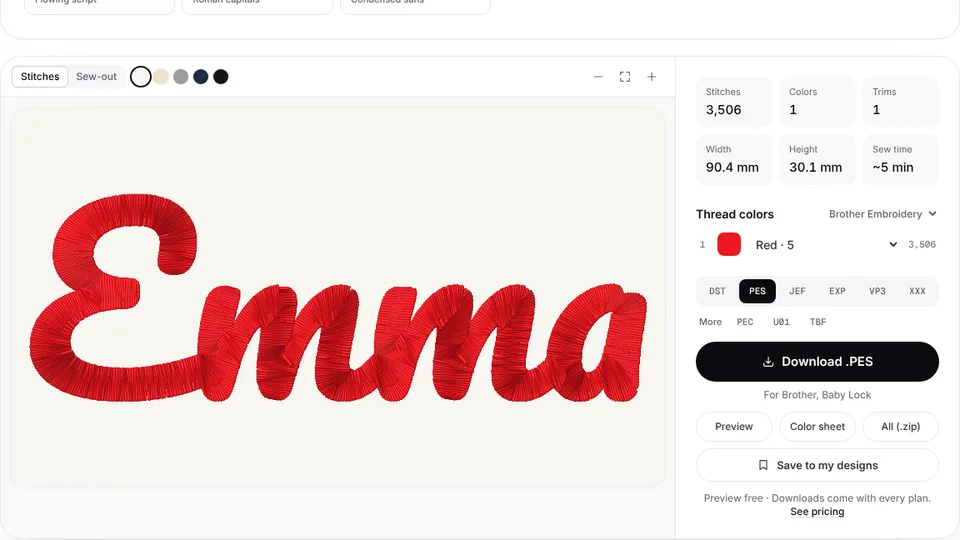 Free previewText to embroidery fileType a name or monogram, pick a font and download a ready-to-sew lettering file.Open
Simulate your own artwork
Digitize a logo or picture and watch the sew-out before you download it.