Embroidery design resizer
Open a stitch file and make it bigger or smaller: by percent, to an exact width or height, or to fill your hoop. The density check tells you when a resize is safe and when to re-digitize.
Drop the embroidery file to resize
DST, PES, JEF, EXP, VP3, XXX, PEC, U01, TBF · opened right in your browser
Resize with confidence
By percent
Drag from 50% to 150% and watch the new width and height update.
To an exact size
Type the width or height you need in millimeters; the other side follows.
Fit a hoop
One click scales the design to fill a 4×4, 5×7, 6×10, 8×8, 8×12 or 9.5×14 hoop.
Density check
Green for safe, amber for test first, red when the stitches need recalculating.
Live preview
The stitch preview, sew-out simulation and stats follow the new size.
Save in any format
Download the resized design as PES, DST, JEF, EXP, VP3, XXX and more with a plan.
Getting a clean result after resizing
- Stay within about 10% for designs with small lettering: letters under 5 mm tall stop sewing cleanly.
- When shrinking, use a heavier backing: the denser stitches pull the fabric more.
- When enlarging, watch long satin columns: stitches over about 7 mm can snag and loosen.
- Always test-sew a resized design on the same fabric before the real piece.
Shrinking or enlarging a lot?
Scaling can't add or remove stitches, so big changes need new ones. Upload the original artwork to the digitizer and set the size you need, or read the stitch density guide.
Free account
Start digitizing in under a minute
Create a free account to digitize any image, try every setting and watch it sew. Choose a plan only when you want to download files.
- Digitize and preview any image
- Realistic stitch preview and sew-out
- Download free ready-made designs
- No credit card needed



Questions
The quickest way to see what it does with your artwork is to try it. With a free account, digitizing and previewing cost nothing and take about a minute.
How much can I resize an embroidery design?
About 10% either way sews like the original, and up to 20% usually works after a test sew-out. Beyond that, stitch density changes too much: shrunk designs get stiff and thread breaks, enlarged ones show fabric through the fills. For bigger changes, digitize the artwork again at the new size.
Why does resizing change the density?
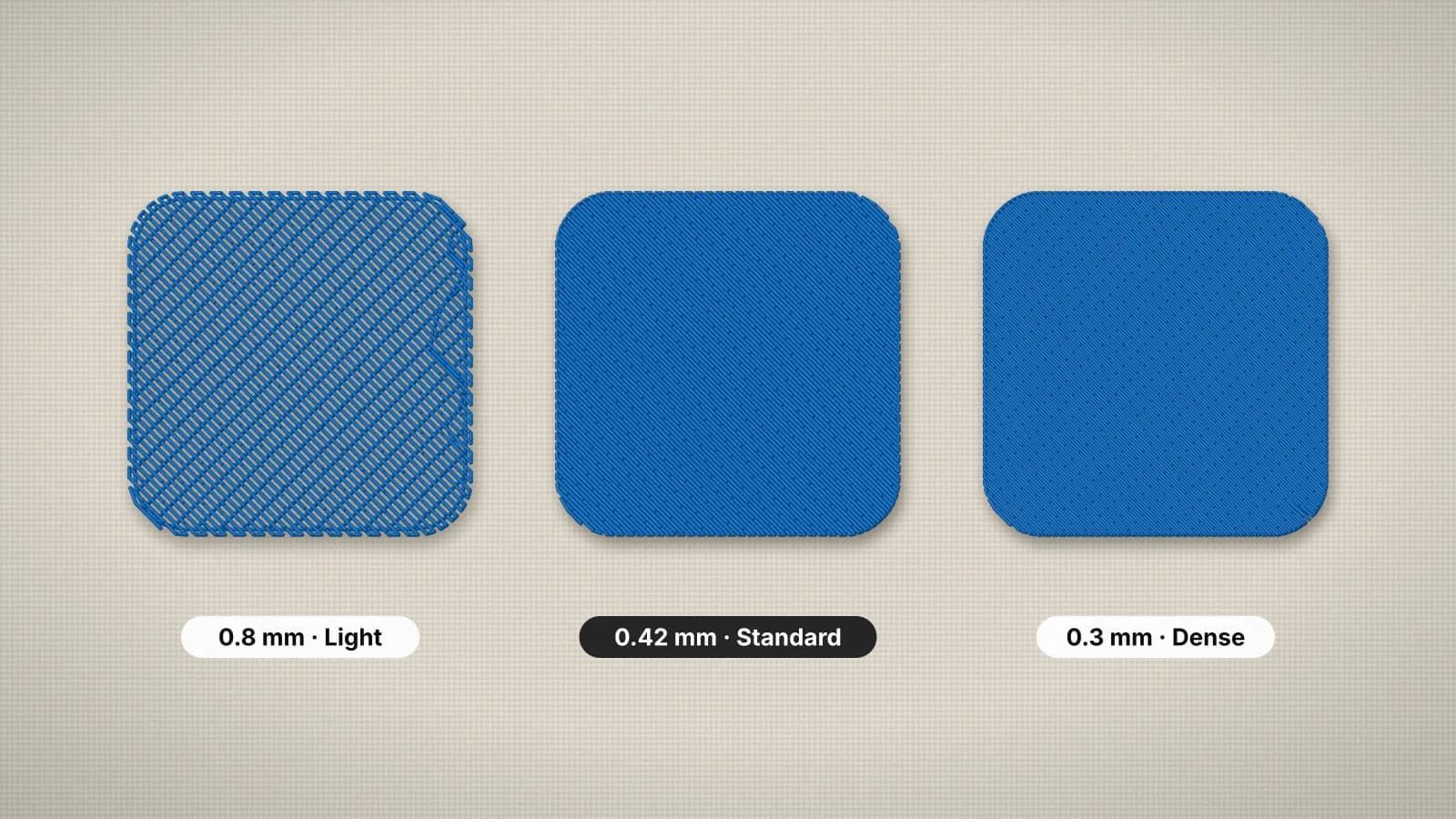
A stitch file is a list of needle positions. Scaling moves them closer together or further apart but keeps every stitch, so the number of stitches per square millimeter changes with the square of the scale: 80% gives about 56% more stitches per area, 120% about 31% fewer.
What's the difference between resizing and re-digitizing?
Resizing scales the existing stitches. Re-digitizing recalculates them for the new size: fill spacing, satin widths, underlay and pull compensation all fit the new dimensions. Upload the original artwork to the digitizer to do that in seconds.
Which formats can I resize?
Open DST, PES, JEF, EXP, VP3, XXX, PEC, U01 or TBF, and save the resized design in any of those formats, so you can also convert at the same time.
Is my file uploaded?
No. The file is opened and resized in your browser. When you download the resized design, only its stitches are sent to write the new file.
More tools
Keep going
 GuideEmbroidery stitch density explainedWhat density means in embroidery, typical spacing for fill and satin, how fabric and thread change it, and what it does to stitch count, sew time and stiffness.Read the guide
 GuideEmbroidery hoop sizes: a practical guideStandard hoop sizes with their real sewing fields, how to choose one and what to do when a design is too big.Read the guide
 GuideEmbroidery placement guide: sizes and positionsStandard embroidery placements with sizes in inches and mm, where to measure from and how to hoop each one.Read the guide
 Free previewEmbroidery file converterConvert PES, DST, JEF, EXP, VP3 and XXX files to any other machine format.Open
 Free toolEmbroidery file viewerOpen DST, PES, JEF and more in your browser: stitch preview, colors, size and stitch count.Open
 Free previewText to embroidery fileType a name or monogram, pick a font and download a ready-to-sew lettering file.Open
Need a big size change?
Upload the original artwork and the digitizer builds new stitches for any size: right density, right underlay, crisp edges.