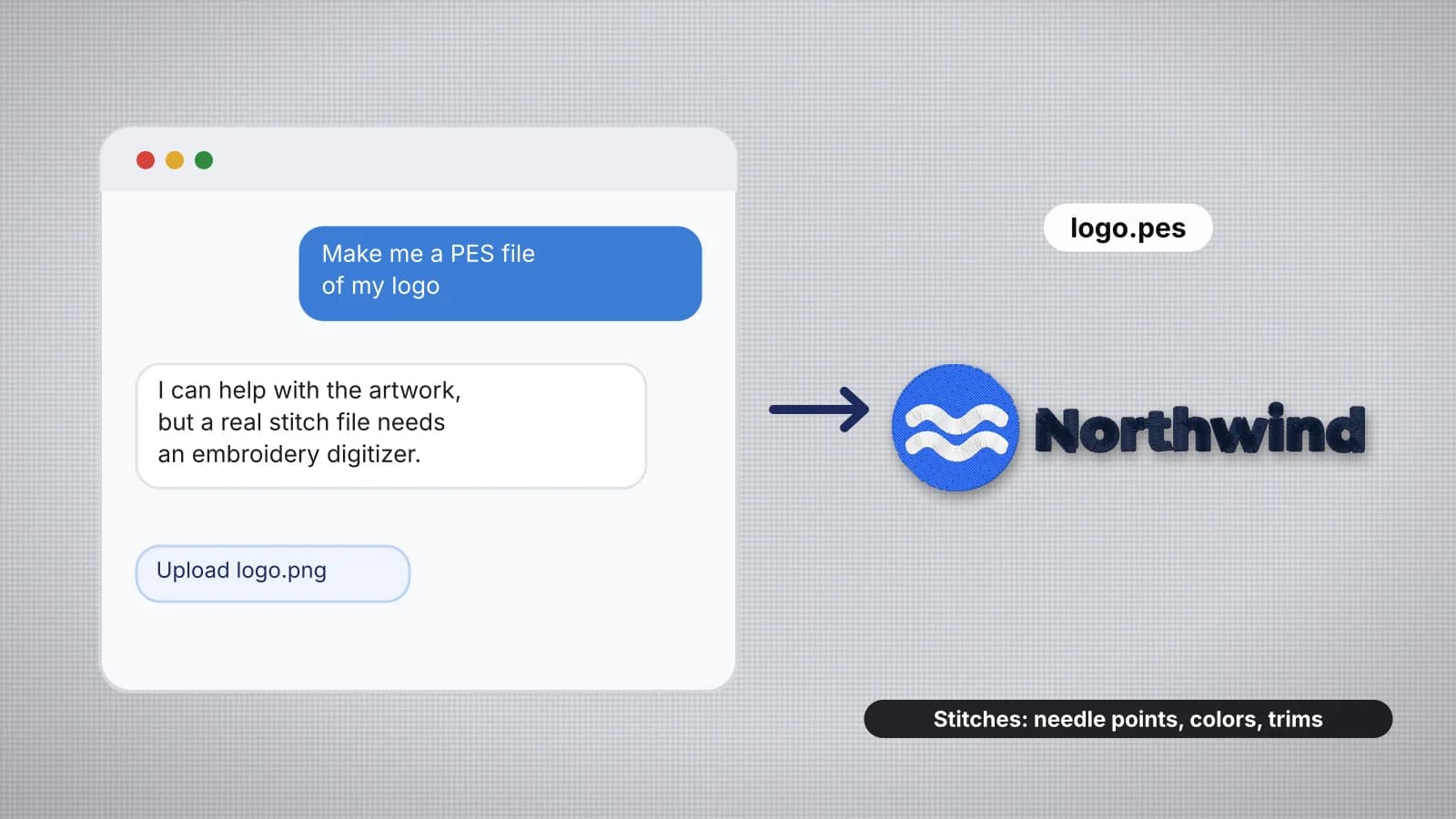
It's a natural thing to try: open ChatGPT, Gemini or another AI chatbot and type "make me a PES file of a fox for my Brother machine". What comes back is usually a polite explanation, a block of text or code, or a file your machine won't open or that sews as a scribble. That isn't a bug in the chatbot. Embroidery files are a kind of data chat models aren't built to produce.
This guide explains what a stitch file actually contains, why chatbot output fails, what chatbots are genuinely useful for, and the route that works: make the artwork, then digitize it into a real file. For the formats themselves, see embroidery file formats explained.
What happens when you ask a chatbot for a PES file
| What you get back | Why it doesn't sew |
|---|---|
| Instructions for digitizing | Useful background, but no file |
| Text that looks like stitch data, such as a list of coordinates | Machine formats are binary, with exact headers; text saved as .pes or .dst won't open |
| Code that writes a file | Even if it runs, it usually makes a few simple lines or shapes, with no fill planning, underlay or pull compensation |
| A picture of embroidery | It's an image of stitches, not stitches; it still needs digitizing |
| A link to a file or a website | Chatbots can make up links, and a file from an unknown source needs checking before it goes near your machine |
Chatbots are language models: they predict text. A machine file isn't text. It's a precise sequence of needle moves that has to be planned round the shapes, the fabric and the thread. That planning is called digitizing, and it's a different job.
What a stitch file actually contains
- Needle positions. Every stitch is a small move of the needle, usually recorded in steps of 0.1 mm. A typical left chest logo has around 4,000 of them, and a jacket back tens of thousands.
- Jumps and trims. Commands to move without stitching, and to cut the thread between separate parts of the design.
- Color stops. Where the machine stops for a new thread, or switches needle on a multi-needle machine. Formats such as PES, JEF and VP3 also store the thread colors; DST only marks the changes.
- Structure you can't see. Underlay under each shape, pull compensation that widens shapes so they still meet after the fabric pulls in, stitch angles, density and a sewing order that keeps trims down.
- Format details. Each format has its own header and encoding, and machines check them. A PES file, for example, also carries a block of Brother machine data and the thumbnail shown on the machine's screen.
The structure is why a stitch file is more than a picture. Two designs that look the same on screen can sew very differently: one flat and clean, the other puckered, gappy or stiff as cardboard. The stitch count chart shows how many stitches typical designs need.
Try it with your own design
Sign up free, upload an image and get a stitch preview in under a minute.
Drop your image here
PNG, JPG, WebP or SVG · stays on your device
Why text and code from a chatbot don't make a good file
Even when a chatbot produces something file-shaped, three things usually go wrong:
- It isn't a valid file. Machine formats have exact byte layouts. Text pasted into a file and renamed won't open, or the machine reports an error. Embroidery file won't open on the machine covers what machines check.
- It isn't digitized. A script can sew a few straight lines or fill a square, but turning a real picture into satin columns, fills, underlay and a sensible sewing order is the hard part, and a general-purpose chatbot doesn't do it reliably.
- Nobody has seen it sew. A chatbot can't look at your fabric, test the design or show you a stitch preview. Coordinates that are slightly off become long loose stitches, gaps, or the needle hammering one spot.
Never stitch a file you haven't previewed. If a chatbot hands you a file anyway, open it in a viewer first and check the size, the stitch count and the sew-out before it goes near your machine.
What chatbots are good for in embroidery
| Task | How a chatbot helps |
|---|---|
| Design ideas | Themes, motifs and layouts for a gift, a team or a season; ask for simple, bold ideas |
| Wording | Short names, mottos and taglines that fit a left chest or a cap; fewer words stitch better |
| Artwork | A chatbot with an image tool can draw a flat, simple picture to digitize; see the prompt tips in how to turn AI art into an embroidery file |
| Learning | Explaining terms like satin, tatami and underlay, or comparing stabilizers; check the answer against a trusted guide |
| Business admin | Drafting a care card, a product listing or a reply to a customer |
Treat technical answers as a starting point. A chatbot can sound sure about needle sizes, hoop fields or which format a machine reads and still be wrong, so check against your machine's manual or a guide such as the stabilizer guide. For a quick project idea with a design, a size and a placement, try the embroidery idea generator.
The route that works: artwork, then a digitizer
- Get the artwork. Draw it, use a logo you have permission to stitch, or generate an image with an AI image tool. Ask for flat colors, bold outlines and a plain background.
- Check and clean it. The embroidery image checker flags fine detail, too many colors and low resolution, and the image color reducer flattens the colors.
- Digitize it. Upload the PNG, JPG, WebP or SVG to an AI digitizer such as the Embrizo digitizer. It picks the thread colors, chooses fill, satin or running stitch for each shape, and adds underlay and pull compensation for the fabric you choose, in seconds.
- Set the size and fabric. Enter the final width and pick the fabric preset, then adjust density, colors and stitch types if you want.
- Preview it. Watch the realistic stitch preview and the sew-out, and read the design check.
- Download your machine's format: PES for Brother and Baby Lock, JEF for Janome, DST for most commercial machines, or EXP, VP3, XXX, PEC, U01 or TBF.
Digitizing and previewing are free with an account; downloading the file needs a paid plan. How to convert an image to an embroidery file goes through each step in more detail.
Practice on a free design
124 ready-to-sew designs in every machine format, free with an account.

How to check any embroidery file before you stitch it
- Open it in a viewer. The embroidery file viewer shows the stitches, colors, size and stitch count of a DST, PES, JEF or other file in your browser. A file that won't open there is unlikely to sew.
- Score it. The embroidery file checker checks hoop fit, long and tiny stitches, trims and colors, and shows a density heatmap.
- Watch it sew. The sew-out simulator plays the file color by color, so you can see the sewing order and spot stray jumps.
- Check it against your machine. The machine compatibility checker tells you whether your machine reads the format and whether the design fits its hoop.
- Test-stitch on scrap of the same fabric, with the same stabilizer, before the real item.
How to check an embroidery file before stitching explains what each number means and what to fix.